Set up Cyproxy with your agent in under 5 minutes
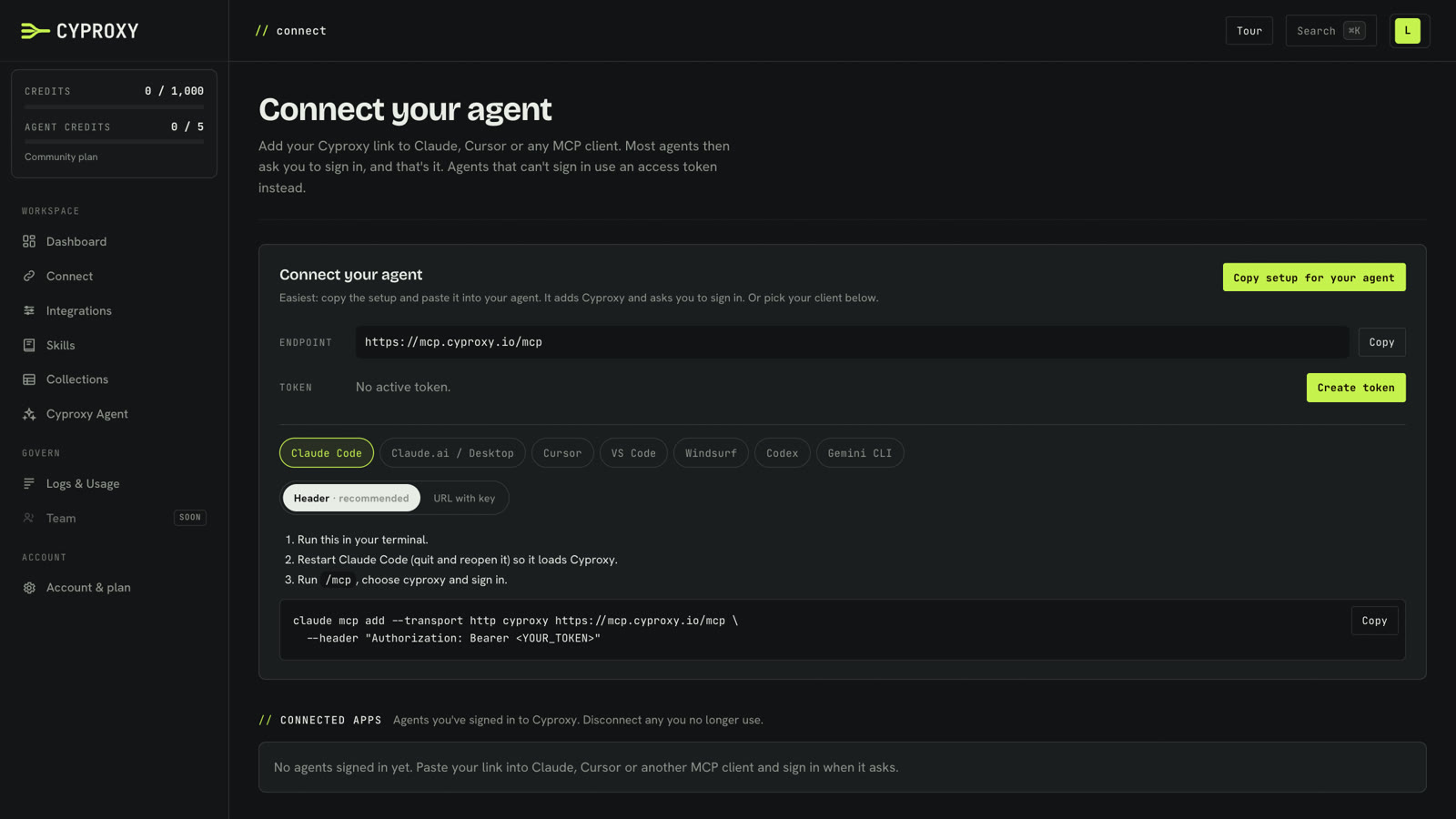
Setting up Cyproxy takes three steps: connect your agent, add a security tool, and switch on the skills and collections you want. The setup itself takes a few minutes. Each step below has a short video showing it from start to finish.
You'll need a Cyproxy account (Community is free) and an AI client that supports MCP. The videos use ChatGPT, but the steps are the same or very close for Claude, Cursor, VS Code and any other MCP client.
1. Connect your agent
In the console, open Connect and click Copy setup for your agent. What you copy is a set of instructions for your agent. It contains no keys or passwords, so it's safe to paste anywhere.
Paste it into your agent. It adds Cyproxy as an MCP server itself. Restart the agent if it asks you to, then ask it to check Cyproxy. It will open a Cyproxy sign-in page; once you've signed in, your agent can see every integration you've switched on.
2. Add your first integration
Open Integrations and pick a tool. In the video it's AbuseIPDB, which gives out free API keys. Paste in your key and save.
A new integration starts switched off, so nothing reaches your agent until you choose. Switch it on, and pick which of its tools your agent can use. Ask your agent again and the new integration is there straight away, with no restart.
Some tools, VirusTotal for example, let you sign in instead of pasting a key. Choose OAuth on the integration, click Connect with VirusTotal and sign in with your VirusTotal account.
3. Skills and collections
Skills are plain-text methods your agent follows for a particular job, such as a Diamond Model analysis, an attack flow or a CTI report. Open Skills, switch on the ones you want, and every agent connected to Cyproxy can use them.
Collections are tables your agents save findings to. Ask an agent to save its results to a collection, and any of your agents can read them back later. You can start an investigation in the Cyproxy Agent and pick it up in ChatGPT or Claude without copying anything across.
What next
You're set up. To see what an investigation looks like with several tools, skills and collections together, watch the use cases in the Cyproxy Academy, starting with From a CVE to exposed servers, step by step.